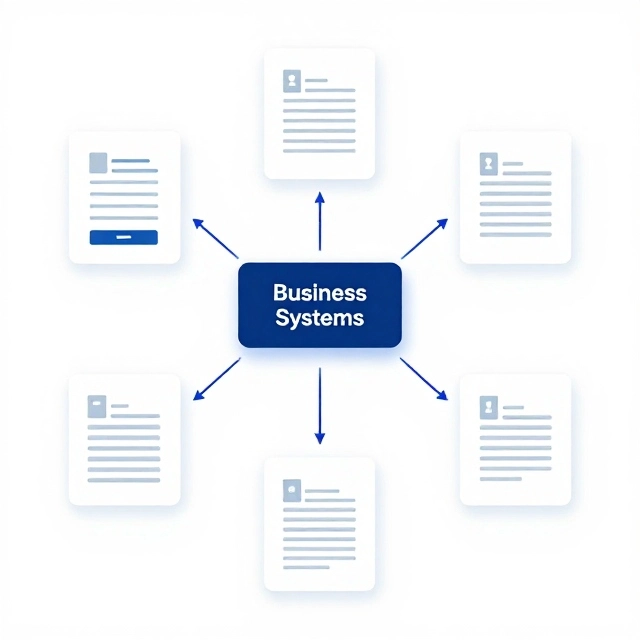
Stop Losing Hours to Manual Work and Disconnected Systems
We help growing businesses automate document processing, repetitive data entry, quote preparation, data reconciliation, and operational workflows with custom software and integrations.
If your team spends too much time moving information between documents, spreadsheets, emails, and business applications, we can help you identify what to automate and build a practical solution around your existing systems.
Start with one costly workflow. Prove the value. Scale what works.
No need to replace all your existing software or automate everything at once.
Is Manual Work Holding Your Business Back?
As your business grows, the processes that once worked can become expensive bottlenecks.
Your employees may be spending hours:
- Reading invoices, forms, purchase orders, and other business documents.
- Copying information between spreadsheets and business applications.
- Preparing quotes using information scattered across different systems.
- Checking records and correcting inconsistent data.
- Answering repetitive customer questions and routing requests.
- Chasing approvals, coordinating tasks, and compiling reports.
The problem isn’t always a lack of software. Often, it’s that your systems don’t work together or your processes still depend on people to move information from one step to the next.
Our business workflow automation services help you connect those steps, reduce unnecessary manual handling, and make everyday operations more consistent.
What would you automate first?
| If your team struggles with… | We can help you explore… |
|---|---|
| Entering information from PDFs and emails | Document processing automation |
| Preparing quotes and proposals manually | Quote and proposal automation |
| Comparing records across systems | Data integration and reconciliation |
| Repeated approvals and follow-ups | Workflow and task automation |
| High volumes of routine inquiries | Customer inquiry automation |
| Compiling reports from spreadsheets | Automated reporting |
The best starting point is the workflow with the strongest combination of business impact, repeatable activity, and practical implementation cost.
What We Automate
We design custom software and integrations to streamline the repetitive work that connects your business processes.
1. Document Processing Automation
Turn documents into validated business data without relying on manual data entry at every step.
We build workflows that extract, validate, classify, and route information from business documents.
Typical applications include:
- Invoice and purchase order processing
- PDF, scanned document, and email attachment extraction
- Form and application processing
- Supplier document handling
- Document classification and information routing
- Matching extracted information against existing records
- Flagging discrepancies and missing information
- Transferring validated data into business applications
Depending on the documents and requirements, solutions can combine OCR, AI-based extraction, structured data validation, business rules, and human review.
Example workflow: An invoice arrives by email, its information is extracted, the supplier and purchase order are checked, discrepancies are flagged, and the invoice is routed for approval before accounting-system entry.
The objective is to reduce manual handling while preserving the checks and controls your business needs.
2. Quote and Proposal Automation
Help your team prepare accurate quotes with less repetitive work.
We develop custom workflows that bring together customer requirements, product information, pricing rules, and approval processes.
Possible capabilities include:
- Collecting requirements from emails, forms, and documents
- Retrieving relevant product and service information
- Applying approved pricing and discount rules
- Generating standardized quotations and proposals
- Routing exceptional pricing for approval
- Updating CRM and order-management systems
- Tracking quote status and follow-up activities
Pricing calculations and contractual commitments can remain subject to explicit business rules and authorized approval.
Best suited to: Businesses where quote preparation involves multiple systems, repeated data entry, complex pricing, or manual approvals.
3. Data Integration and Reconciliation
Reduce the manual work required to keep business systems consistent.
We build integrations that move information between applications and workflows that compare records, identify discrepancies, and help teams resolve them.
Examples include:
- Synchronizing customer and order records
- Matching invoices, purchase orders, and transactions
- Comparing records across accounting and operational systems
- Identifying missing, duplicate, or inconsistent data
- Producing reconciliation reports
- Recording errors and tracking unresolved exceptions
Best suited to: Businesses that depend on several applications but still rely on spreadsheets or employees to keep their data aligned.
4. Business Workflow and Approval Automation
Replace repetitive coordination with structured, traceable workflows.
We automate the handoffs between people, systems, and departments so work moves forward according to defined rules.
Examples include:
- Approval routing and notifications
- Task assignment and escalation
- Customer or supplier onboarding
- Internal request processing
- Deadline and status monitoring
- Exception queues and follow-up reminders
- Workflow activity logs and audit trails
Best suited to: Growing businesses whose processes depend on email chains, manual reminders, and people remembering what to do next.
5. Customer Inquiry Automation
Handle routine customer requests more efficiently without losing human oversight.
We develop systems that classify inquiries, retrieve relevant information, route requests, and support consistent responses.
Possible capabilities include:
- Email and support-ticket classification
- Request prioritization and routing
- Retrieval of information from approved sources
- Drafting responses for employee review
- Automation of suitable routine responses
- Escalation of complex or sensitive inquiries
- Integration with CRM and help-desk systems
Best suited to: Businesses handling recurring inquiries that follow identifiable patterns and established procedures.
6. Automated Reporting and Operations Coordination
Spend less time collecting information and chasing updates.
We build workflows that consolidate data, generate recurring reports, track operational activity, and notify the right people when action is required.
Examples include:
- Consolidating information from multiple systems
- Preparing recurring management reports
- Tracking outstanding tasks and approvals
- Monitoring operational thresholds and deadlines
- Generating exception reports
- Coordinating work between departments
Best suited to: Businesses that rely on manually assembled spreadsheets and recurring administrative coordination.
Why Choose Custom Workflow Automation?
Off-the-shelf automation tools can be effective for straightforward tasks. But when your processes involve specialized rules, legacy applications, multiple systems, or exceptions, you may need more than a standard connector or prebuilt template.
Our strength is custom software development and systems integration. We build automation around your business processes and technical environment.
Connect your existing systems
We assess how your current applications exchange information and identify practical integration options. Where feasible, we connect existing tools instead of proposing an unnecessary system replacement.
Design around real business rules
We account for validation requirements, approval thresholds, exception handling, permissions, and the different ways a process can unfold.
Use AI where it adds value
AI can help interpret variable documents and unstructured information. Conventional software and explicit rules are often better for predictable calculations, validations, and controlled actions.
We choose the approach that fits the task rather than forcing every problem into an AI solution.
Build for reliability and oversight
Automation should not silently make uncertain decisions or lose track of failed transactions.
We design appropriate validation, error handling, monitoring, access controls, audit records, and human escalation into the solution.
Start small and expand deliberately
You can begin with one workflow, evaluate the results, and extend the solution to related processes when the business case supports it.
Start With a Workflow Automation Assessment
You don’t need to commit to a large automation project to discover where the opportunity lies.
Our Workflow Automation Opportunity Assessment is designed to help you identify a practical starting point, understand the technical requirements, and make an informed investment decision.
What we’ll assess
1. The current workflow
How work enters the process, who handles it, which systems are involved, and where time or errors accumulate.
2. The cost of manual work
Transaction volume, handling time, rework, delays, and the resources required to complete the process.
3. Automation feasibility
Available integrations, data quality, business rules, exceptions, security requirements, and the appropriate level of human oversight.
4. Potential business value
Estimated time savings, capacity released, error reduction opportunities, implementation costs, and ongoing operating costs.
5. A practical implementation roadmap
A recommended starting scope, key dependencies, success measurements, and suggested next steps.
What you’ll take away
The intended deliverable is a prioritized recommendation for one workflow, including:
- A summary of the existing process and its main bottlenecks
- A proposed future-state workflow
- Integration and technical considerations
- An initial ROI model with explicit assumptions
- A suggested implementation scope and next steps
The assessment scope, fee, and delivery timeline will be agreed before work begins.
How We Deliver an Automation Project
Step 1: Discover
We learn how the process works today, review the systems involved, and identify the operational problem to solve.
Step 2: Define
We agree on the scope, requirements, business rules, exception paths, security needs, and measurable success criteria.
Step 3: Build and Integrate
We develop the workflow, connect the relevant applications, and test it against realistic scenarios and edge cases.
Step 4: Validate
We compare the solution against the agreed requirements and baseline measurements. Human review remains in place where needed.
Step 5: Deploy and Improve
We deploy the solution with appropriate monitoring, documentation, and support arrangements, then identify opportunities for further improvement.
The timeline and cost depend on the workflow’s complexity, the systems involved, data quality, and the level of testing required. We establish a realistic scope before committing to delivery.
How to Evaluate the Business Case for Automation
Automation should solve a measurable business problem—not simply introduce new technology.
A useful first step is to estimate how much time your team currently spends on a repetitive process.
Estimate the opportunity
Monthly hours spent today
Monthly transactions × Minutes per transaction ÷ 60
Potential monthly capacity released
Monthly transactions × Minutes saved per transaction ÷ 60
Theoretical labor value
Potential hours released × Loaded hourly labor cost
For example, a business processing 2,000 documents monthly and saving four minutes of manual handling per document would release approximately 133 hours of capacity each month.
At a loaded labor cost of $35 per hour, that capacity represents approximately $4,667 in theoretical monthly labor value.
This is an illustrative calculation, not a forecast or guarantee. Actual results depend on the achievable time reduction, exception handling, review requirements, software costs, implementation costs, and how the released capacity is used.
What we measure
Depending on the workflow, useful performance indicators include:
- Average handling time per transaction
- Percentage of transactions completed without manual correction
- Error and rework rates
- Exception volume and review time
- Processing turnaround time
- Total cost per completed transaction
- Overall implementation and operating costs
We establish a baseline before implementation and assess performance against agreed targets.
Who Is Workflow Automation For?
We work with growing businesses that need to improve operational efficiency but have processes that don’t fit neatly into off-the-shelf software.
You may be a good fit if:
- Your team repeatedly enters the same information into different systems.
- Documents arrive in formats that require manual interpretation.
- Your processes rely on spreadsheets, email, and manual follow-ups.
- Your current software doesn’t adequately support the way your business operates.
- You have recurring workflows with measurable volume and cost.
- You want to improve operations without undertaking an unnecessary system replacement.
Potential applications span professional services, manufacturing, distribution, construction, business services, and other sectors.
The deciding factor is not your industry. It is whether you have a well-defined workflow where better integration and automation can deliver measurable value.
Frequently Asked Questions
What is business workflow automation?
Business workflow automation uses software to execute or coordinate repetitive business tasks according to defined rules, events, and conditions. Examples include routing approvals, transferring data between systems, processing documents, assigning tasks, and escalating exceptions.
What is document processing automation?
Document processing automation uses software to extract, classify, validate, and route information from documents such as invoices, purchase orders, forms, and PDFs. It can combine OCR, AI, business rules, and human review to reduce manual handling.
What is the difference between document automation and workflow automation?
Document automation focuses on the documents and information being processed. Workflow automation focuses on the sequence of tasks required to complete a business process. They often work together—for example, extracting invoice information and then routing the invoice through validation and approval.
Can you automate our existing processes without replacing our software?
Often, yes. Depending on the systems involved, we may be able to integrate through APIs, supported connectors, or other suitable interfaces. We assess technical feasibility, permissions, data quality, and system limitations before recommending an approach.
Do we need AI to automate our business processes?
No. Many processes can be automated using conventional software, integrations, templates, and explicit business rules. AI is useful for certain variable or unstructured tasks, but it should be used only when it provides a practical advantage.
How much does workflow automation cost?
Costs depend on transaction volume, workflow complexity, the number of systems involved, integration requirements, security needs, and ongoing support. We first define the problem and assess the scope so that the proposed investment is tied to a clear business objective.
How long does an automation project take?
A narrowly scoped workflow may be implemented in a few weeks, while complex projects involving multiple systems, extensive validation, or legacy applications may take longer. We determine the appropriate timeline after assessing the requirements.
How do you calculate automation ROI?
We compare the existing workflow’s handling time, labor requirements, error rates, and operating costs with the expected performance of the proposed solution. We also include implementation costs, software expenses, human review, exception handling, and ongoing maintenance.
Can automated workflows still include human approvals?
Yes. Workflows can route uncertain cases, unusual transactions, sensitive decisions, or high-value actions to authorized employees. The appropriate level of automation depends on the business risk and the consequences of an incorrect action.
What happens if an integration fails or the automation encounters an error?
We design suitable error handling, logging, alerts, retries, and exception queues. When the system cannot safely complete an action, it should flag the issue and route it for review rather than silently proceeding.
Do you provide ongoing maintenance and support?
Support can include monitoring, integration maintenance, troubleshooting, performance reviews, and incremental improvements. The scope and service arrangement are agreed based on the solution’s operational requirements.
How do we get started?
Start by describing the repetitive process that consumes the most time or creates the most operational friction. We’ll discuss your current workflow, the systems involved, and whether a focused assessment is the right next step.
Book a Workflow Automation Assessment
Find the right workflow to automate first.
Tell us about the manual process your team wants to improve. We’ll help you understand the opportunity, assess the integration requirements, and identify a practical next step.
Prefer to start with a question? Visit our contact page.
About Nexus Software Systems
Nexus Software Systems is a custom software development company helping businesses build, integrate, and improve software solutions around their operational needs.
We combine custom application development, systems integration, and workflow automation to help businesses connect existing systems and reduce repetitive work.